What is deken about?
deken is Pure Data's built-in package manager.
It can be used to install external libraries to enhance the functionality of Pd.
It is mainly targetted at Pd vanilla,
but can be used with some other Pd flavours (like Plug Data) as well.
How to use deken from within Pd
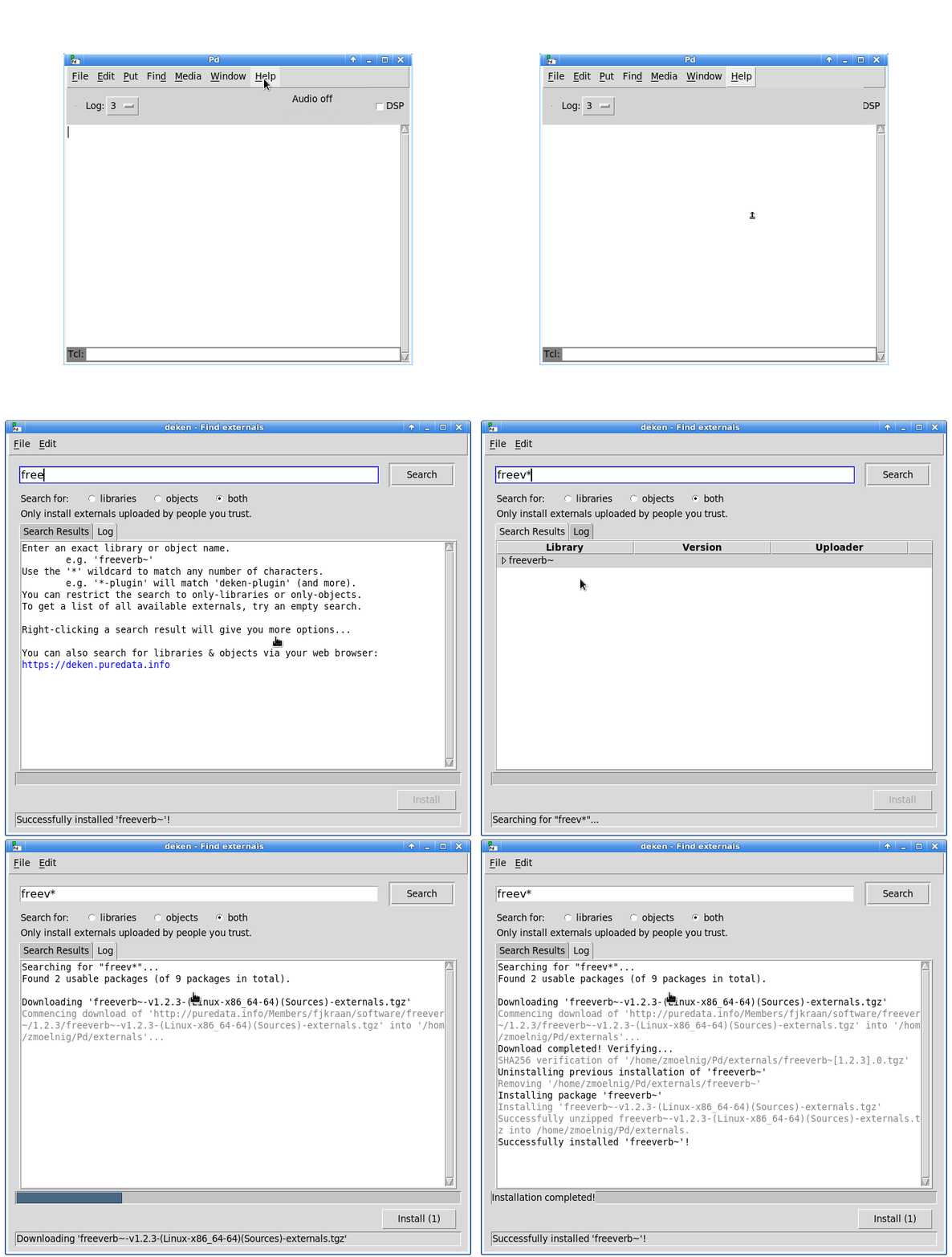
How to manually use this webpage with Pd
- Use the Search... field to search for a library or a single object.
- In the search results, find the library and version you would like to install.
Some library packages are only available for specific architectures, which is indicated via one or more icons, like so:
- macOS
- Linux
- Windows
- Source Code (to compile the library yourself)
-
Choose a library package that matches your system and follow the link.
-
You will get a more detailed description of the library package,
including the supported architectures (Operating System, CPU, Pd floatsize) and the actual objects included in the package.
-
At the bottom of the package page, there is a link that says download DEK-file.
Follow the link to download the deken package (a ZIP file with a .dek extension)
- In Pd open the package manager (
Tools
→ Find externals...
)
- When the package manager window is focused, there are dedicated menus:
File
and Edit
.
Use File
to open and install the previously downloaded .dek file.